
Earned Value Management Software for Microsoft Project
EVMS forProject adds earned value management to the schedules you already build in Microsoft Project, from simple performance measurement to supporting full EVMS compliance.
Keep scheduling where you are. EVMS forProject brings in your schedule, applies direct and indirect rates, uses schedule status to calculate EV performance, updates your ETC/EAC forecast, maintains baseline control, adds actual costs from your accounting system, and shows performance at every level.
You can analyze your data on screen with over 50 EV metrics and KPIs, which can be displayed in any unit of measure at any level of detail. And, if needed, EVMS forProject can produce all the government reports and data exports required on a contract.

The gap Microsoft Project leaves
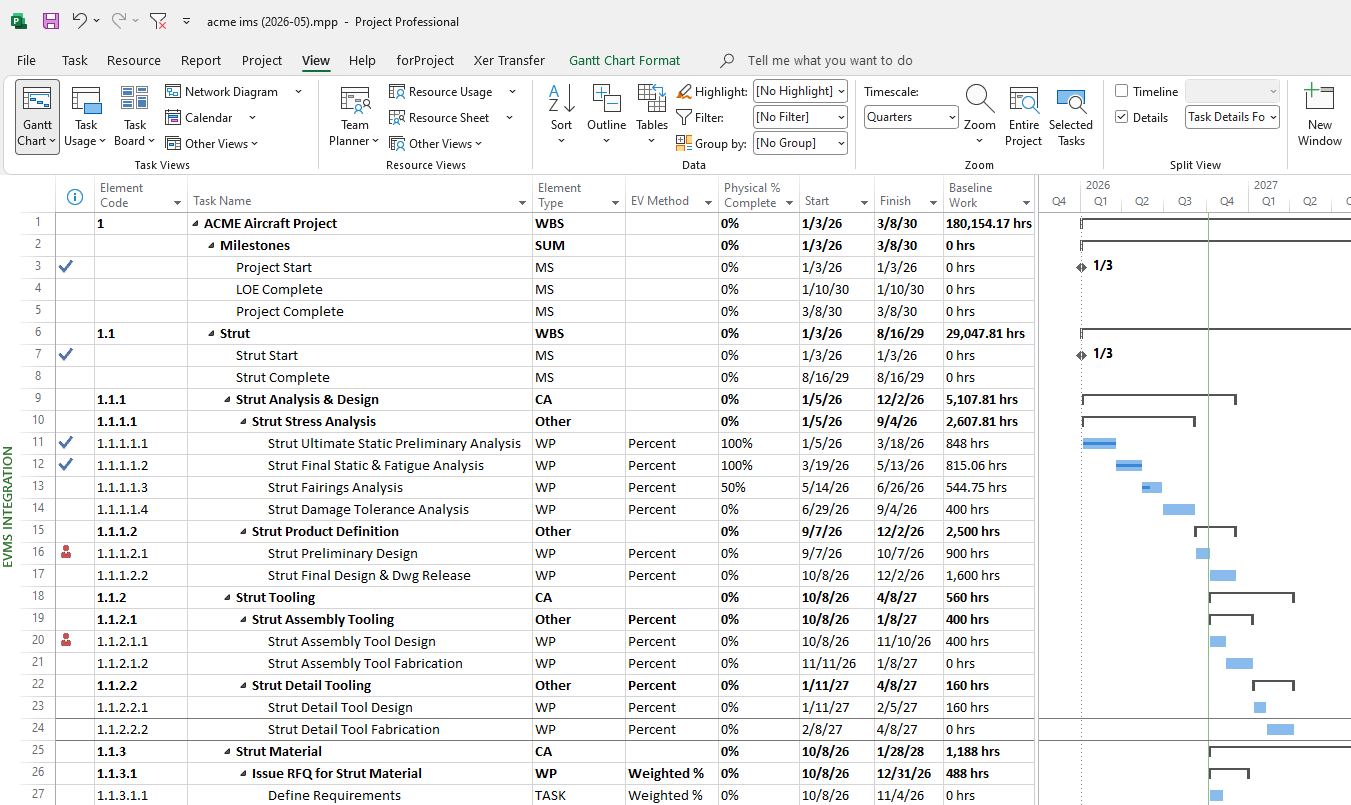
Microsoft Project is a capable and popular scheduling tool, but it isn’t built for earned value. It can’t build costs up from labor hours to direct labor, fringe, overhead and G&A. It can’t calculate earned value accurately from your schedule status, or show the baseline and forecast by financial accounting period. It has little control over baseline changes. And it doesn’t bring in actual costs from your accounting system, roll performance up by control account and element of cost, or produce IPMDAR and IPMR reports. The challenge is to find an effective way to fill these gaps that will work seamlessly with your existing schedule data.
How EVMS forProject works with Microsoft Project
- Connect your schedule. A forProject connector works with Microsoft Project on your desktop and pulls the schedule data straight into EVMS forProject, using an import map you set up once for each schedule. Projects stored in Project Server work too: if Microsoft Project can open it, EVMS forProject can import it.
- Resources too. If your schedule is resource-loaded, EVMS forProject can import your resource planning information (labor and non-labor) to establish your baseline and forecast. If your schedule isn’t resource-loaded, you can plan the baseline and forecast directly in EVMS forProject.
- Apply direct and indirect rates. EVMS forProject can apply your direct and indirect rates to get from labor hours and direct costs all the way to total cost or price, using complex rate calculations to match your financial systems.
- Status updates to drive Earned Value. EVMS forProject imports your latest status information (for example, Actual Start, Actual Finish and Physical % Complete) and calculates earned value using a library of EV measurement methods, including discrete, apportioned and level of effort (LOE).
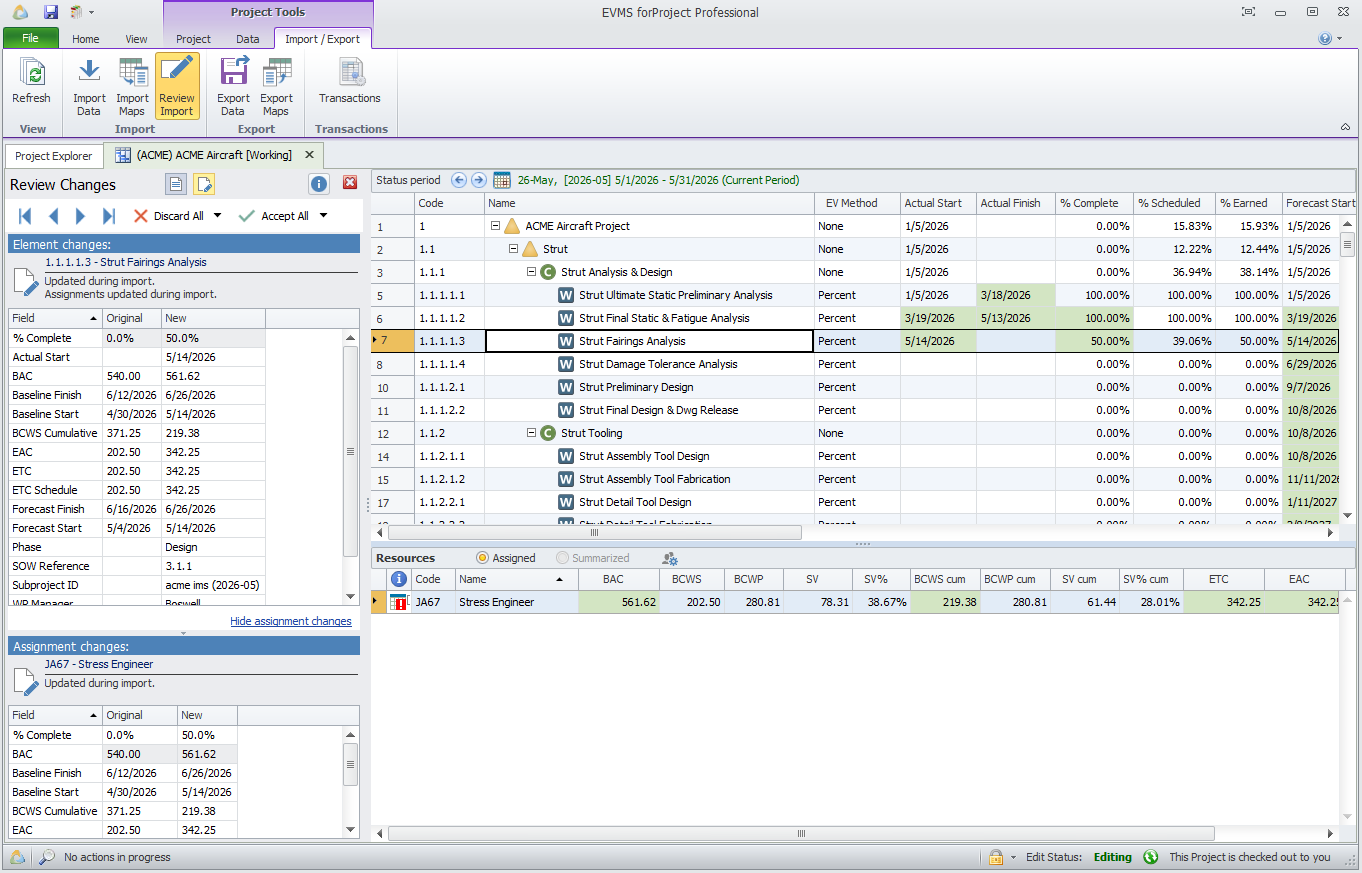
- Review what changed. Review Changes highlights every change since the last import, so you can accept or reject it before it touches your baseline.
- Add actual costs. Bring in actual labor and non-labor costs from your financial system (Costpoint, Unanet, SAP, Oracle, Dynamics and others) through Excel or Integrator forProject.
- Analyze. See more than 50 earned value metrics at every level.
- Report. Produce IPMDAR, IPMR, CAP, RAM, and other EV reports and graphical charts. For the IPMDAR SPD, EVMS forProject reads your Microsoft Project schedule when you run the report.
Quick facts
- Works with Microsoft Project on the desktop through a forProject connector, including projects stored in Project Server; you keep scheduling in Microsoft Project
- Bring in detail tasks and roll them up to the levels you report on
- WBS, OBS and CLIN, plus up to 10 custom structures per project
- Results in hours, FTEs, direct cost or fully loaded cost, and any value in between.
- Multiple currencies, with currency exchange rates
- IPMDAR CPD and SPD together, IPMR in UN/CEFACT XML
- Pair it with Schedule Analyzer forProject to check schedule health (DCMA 14-Point and more) inside Microsoft Project
Frequently asked questions
Can Microsoft Project do earned value on its own?
Only in the most rudimentary way, and not sufficient for accurate EV measurement and formal reporting.
Do we have to change how we build our schedules?
No. You keep scheduling in Microsoft Project. Import maps adapt to each schedule’s fields and structure.
Does EVMS forProject work with Project Server?
Yes. If Microsoft Project on your desktop can open the project from Project Server, EVMS forProject can import it through the forProject connector.
Can it produce the IPMDAR Schedule Performance Dataset (SPD) from Microsoft Project?
Yes. When you run the IPMDAR export, EVMS forProject reads the Microsoft Project schedule and produces the SPD alongside the CPD, from the same data.
Do we need a formal EVM requirement?
No. Many teams use it for simple performance measurement on projects with no formal requirement, and the same system scales to support a full, formal EVMS process if required.
Related
See it with your Microsoft Project schedules
We’ll walk you through EVMS forProject using schedules like yours.